Bear Shape-Sorter Learning Clock
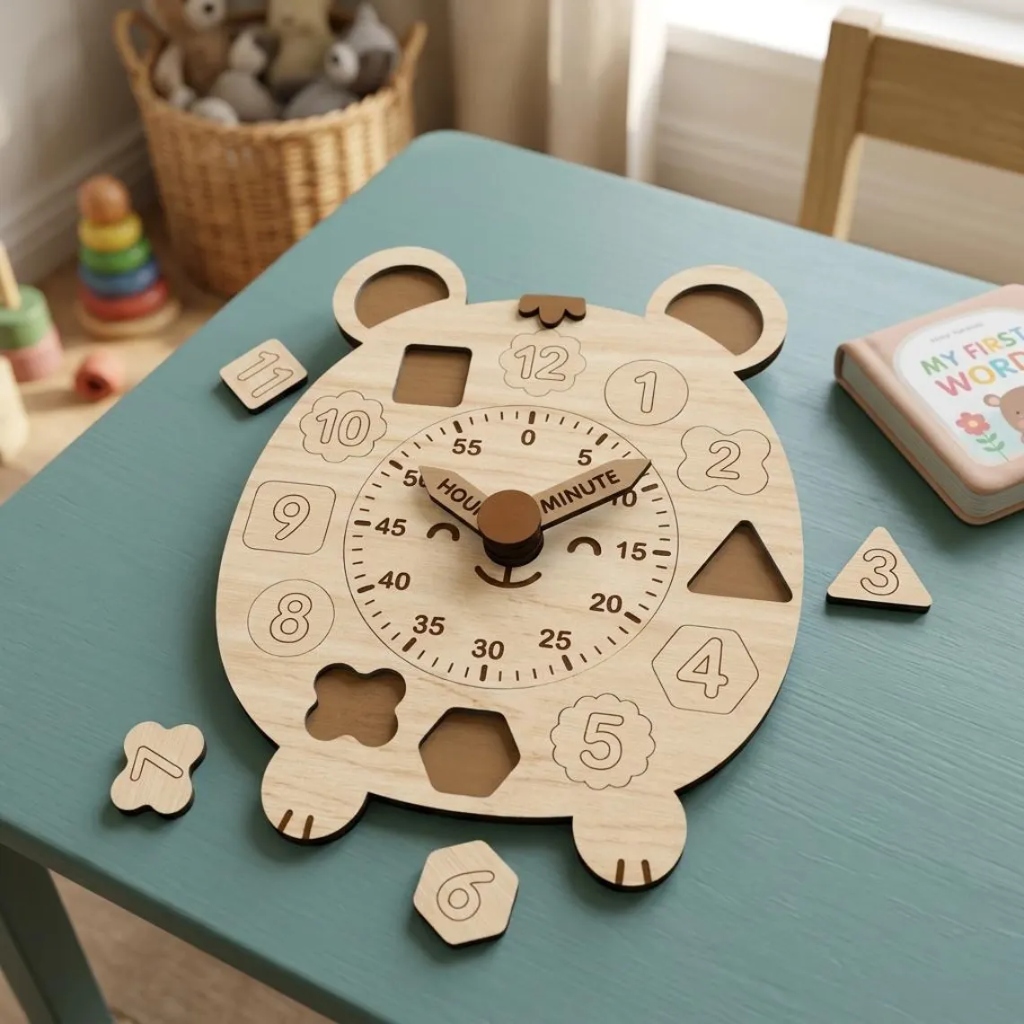
A bear-shaped wooden teaching clock: twelve shape tokens lift out of their own pockets, the dial shows all 60 minutes, and the hour and minute hands turn. Telling time and shape sorting in one.
Project Overview
A wooden teaching clock shaped like a bear. The twelve hours are shape tokens (circle, oval, triangle, square, pentagon, hexagon, star, heart, rectangle, cross, clover and flower) that lift out of matching pockets, and every token fits only its own pocket. The dial shows all 60 minutes, and the hour and minute hands turn on a wooden pivot.
It is part of the Creative Kit box, and is also listed under Teaching Aids with a printable activity manual.
At a glance
| Specification | Value |
|---|---|
| Size | 232 x 259 mm |
| Wood | Two 300 x 300 mm sheets of 2.8 mm plywood, 31 parts |
| Laser time | About 56 minutes for both sheets |
| Teaches | Telling the time, counting in fives, shape names and matching |
Small parts
The smallest token is about 21 mm across. This is for children who no longer put toys in their mouths.
Downloads
| File | Use |
|---|---|
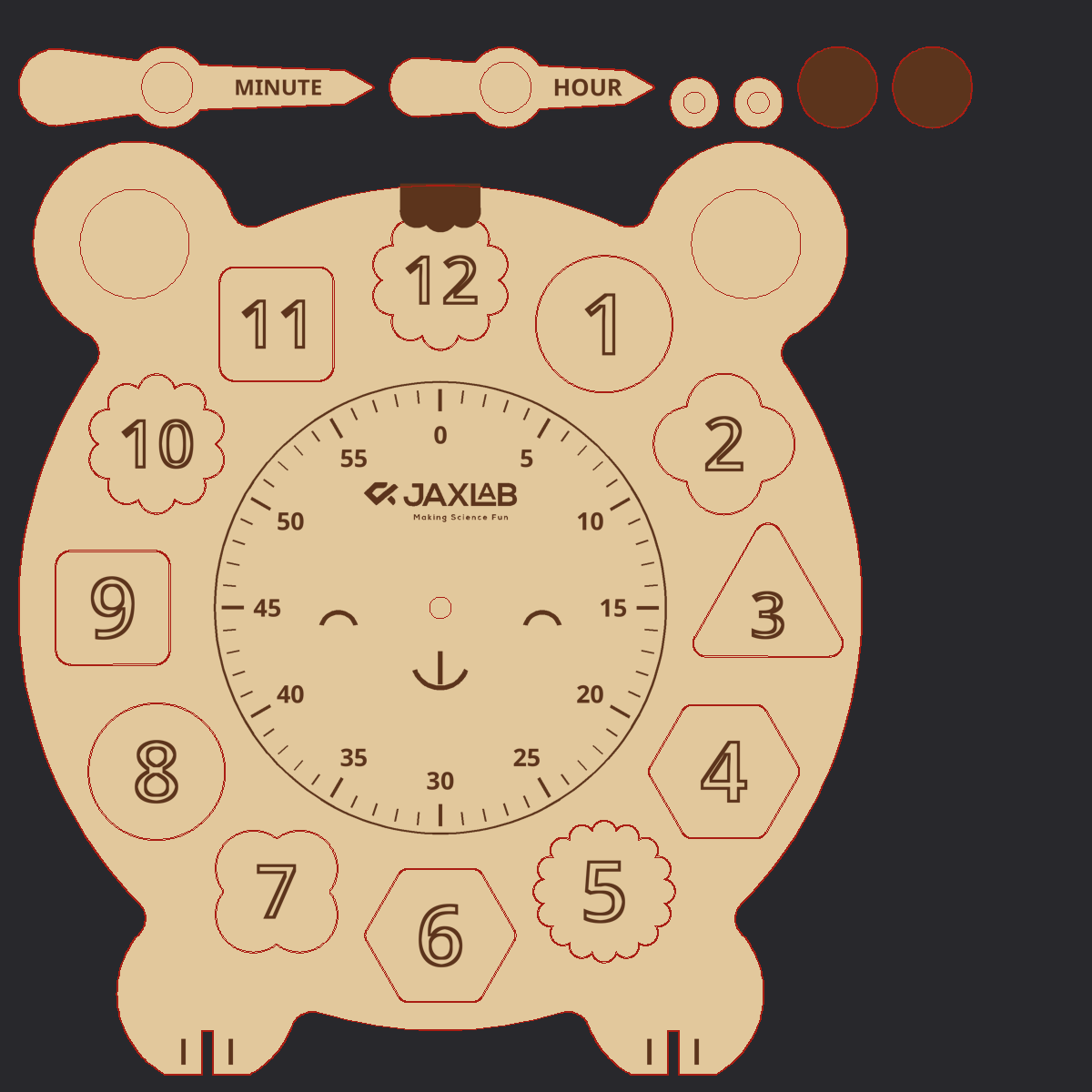
| Sheet 1 G-code | Face, token tops, hands, washer, cap, 6 token bottoms (engrave, then cut) |
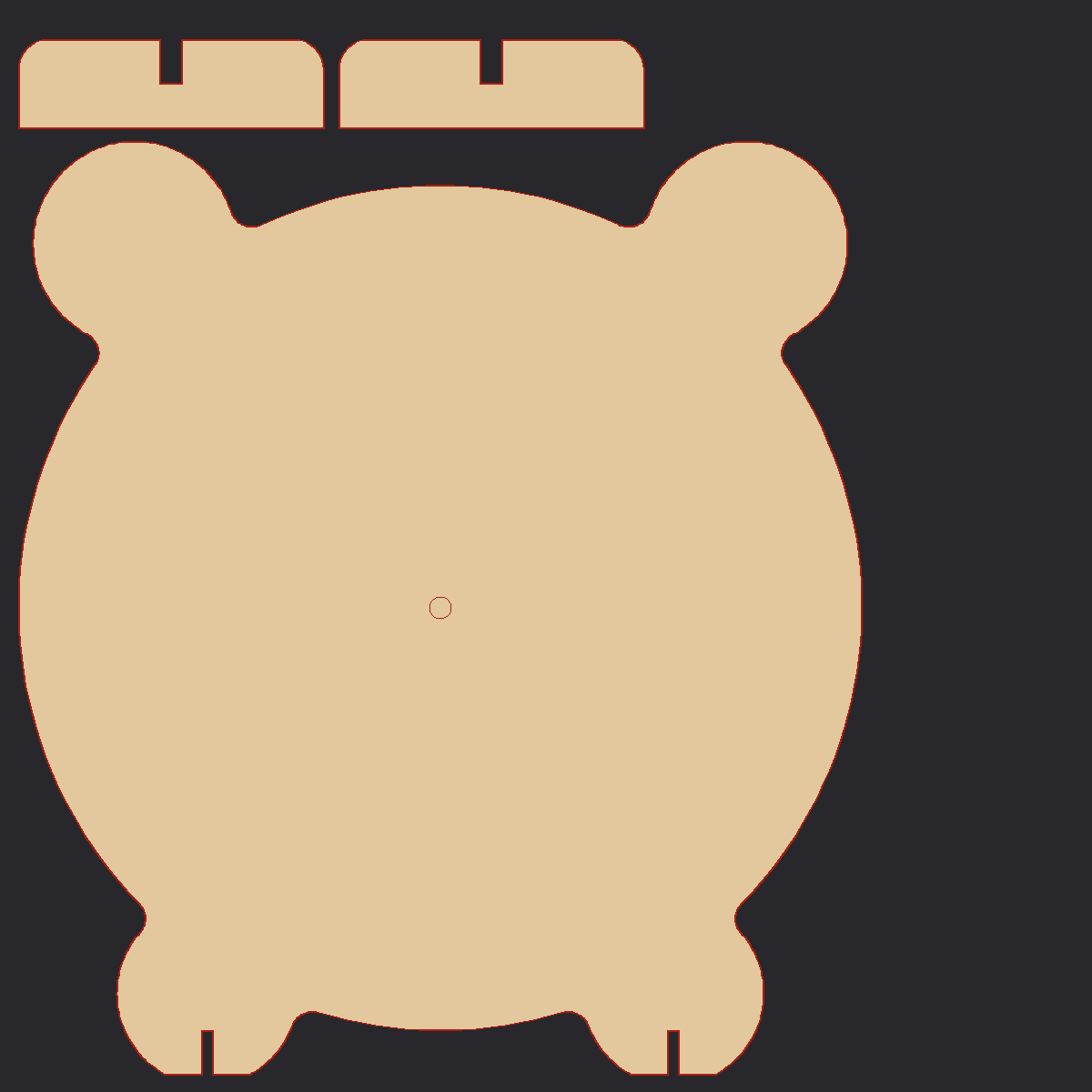
| Sheet 2 G-code | Base and 6 token bottoms (engrave, then cut) |
| Sheet 1 SVG | For LightBurn or LaserGRBL |
| Sheet 2 SVG | For LightBurn or LaserGRBL |
🛒 Materials Needed
- 2 sheets of 2.8 mm plywood, 300 x 300 mm
- 6 mm wooden dowel, 17 mm long
- Wood glue
- Sandpaper
📋 Step-by-Step Instructions
Put the laser's origin on the bottom-left corner of each sheet, then run Sheet 1 G-code and Sheet 2 G-code. Each one engraves, then cuts. Cuts go from the inside out, so nothing comes loose while it is still being cut.
Step Images
All 3 steps completed — great work!